The employee arrived.The system already knows.
When employees reach work, they tap “Check in” in the ILEN app on their phone. The system confirms location and time, and lateness, fines and payroll are calculated automatically.


Get started in three steps
No fingerprint scanners, cards or cables. The employee's own phone is enough.
Branches are marked on the map
Employees check in with the app
Reports are generated automatically
Managers see everything as it happens
Who arrived, who is late, what is happening at each branch — live in the admin panel.
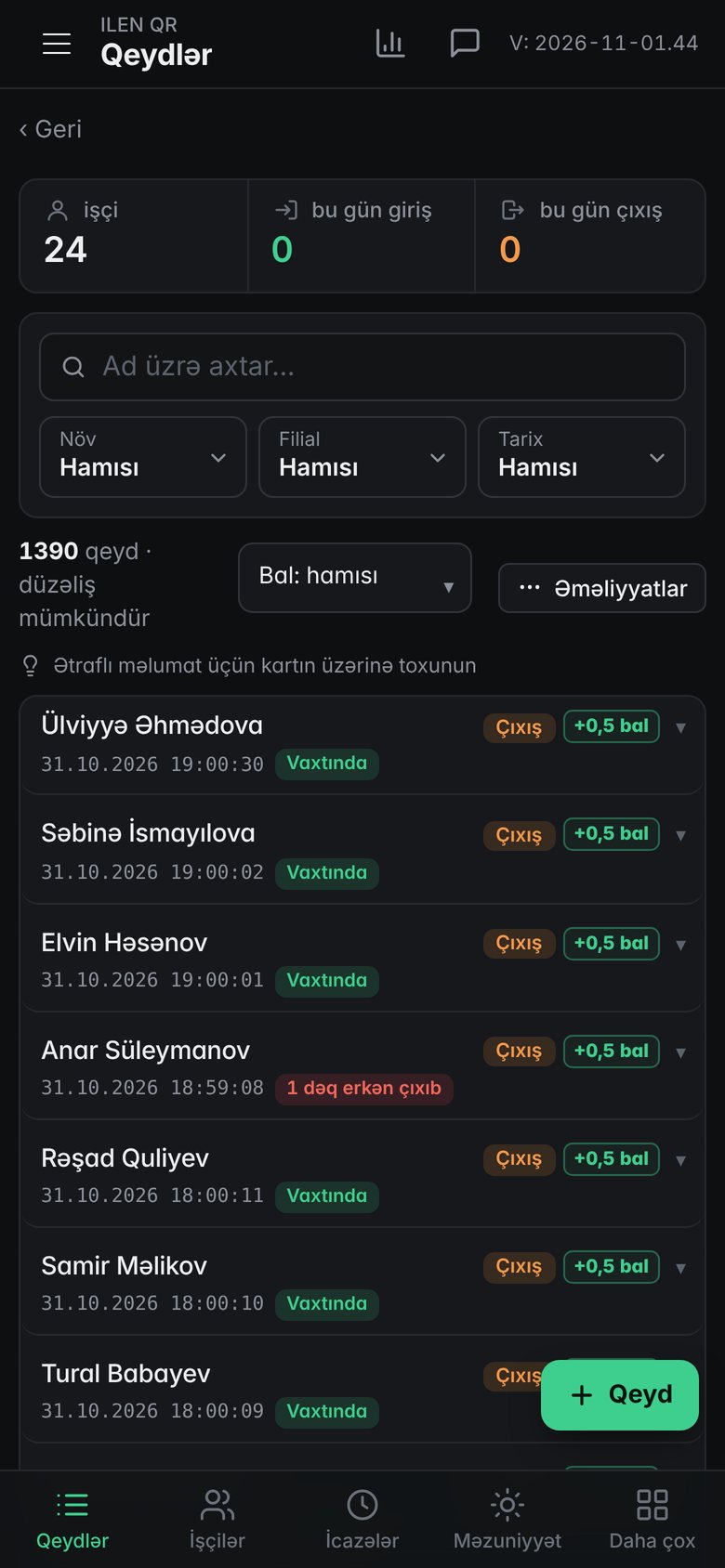
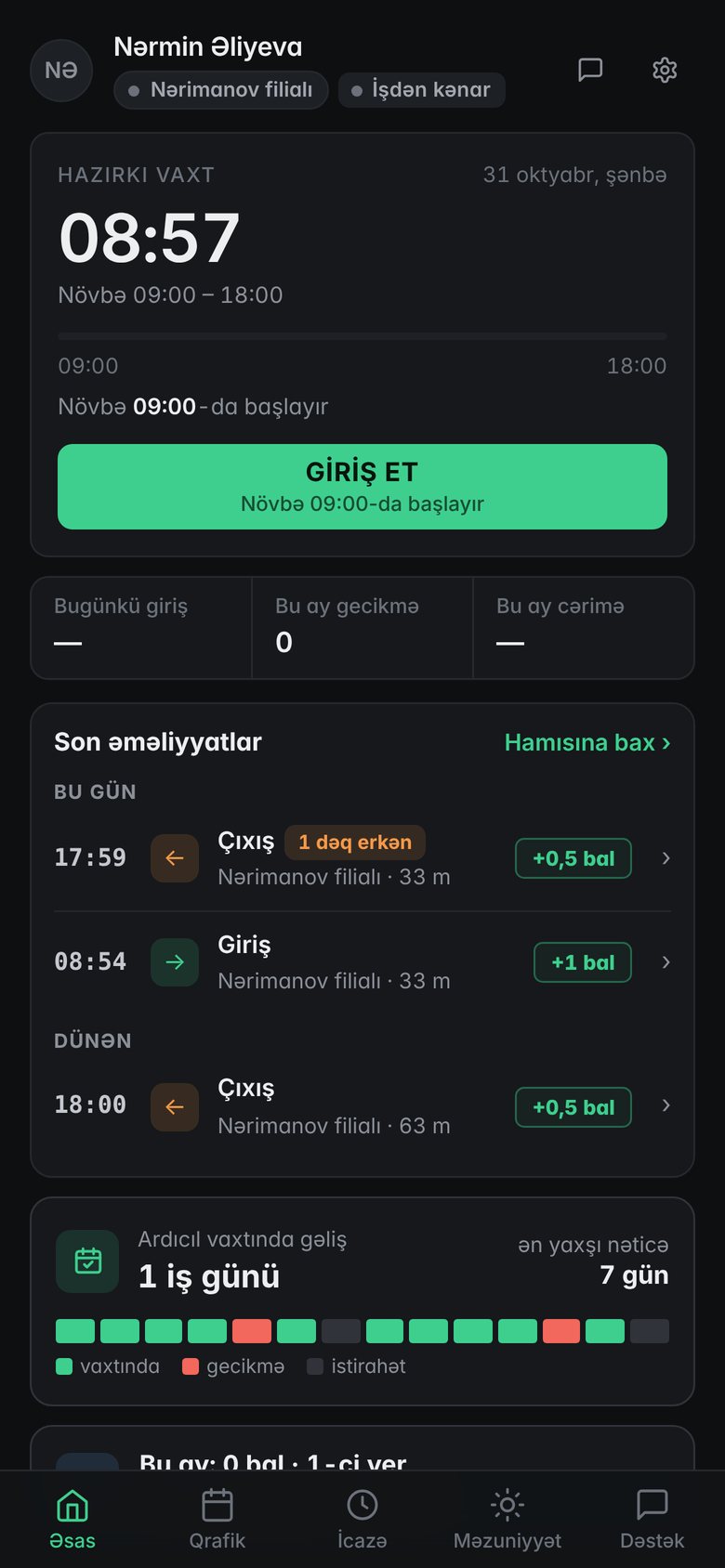
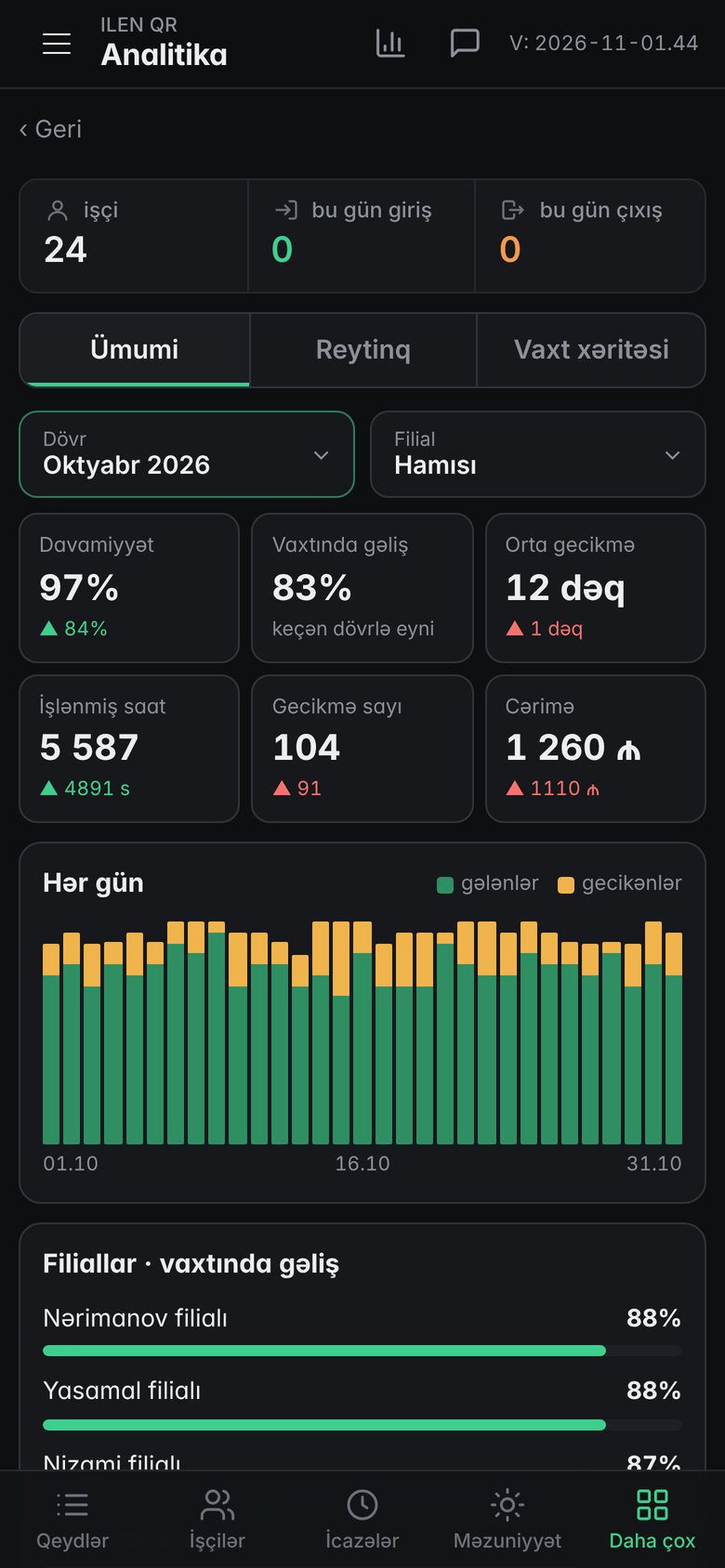
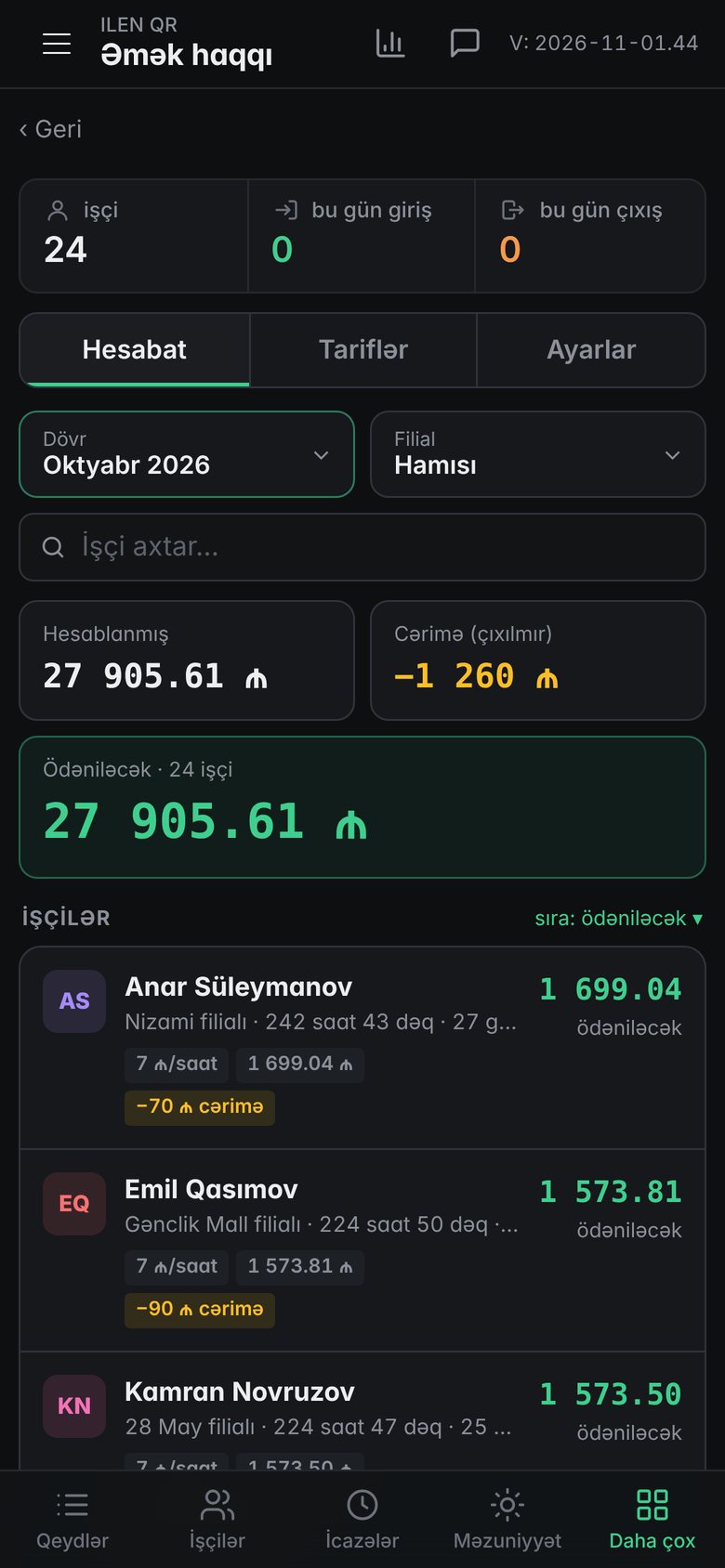
App screens
Separate panels for employees and managers. Screens show a sample company's data (interface in Azerbaijani).
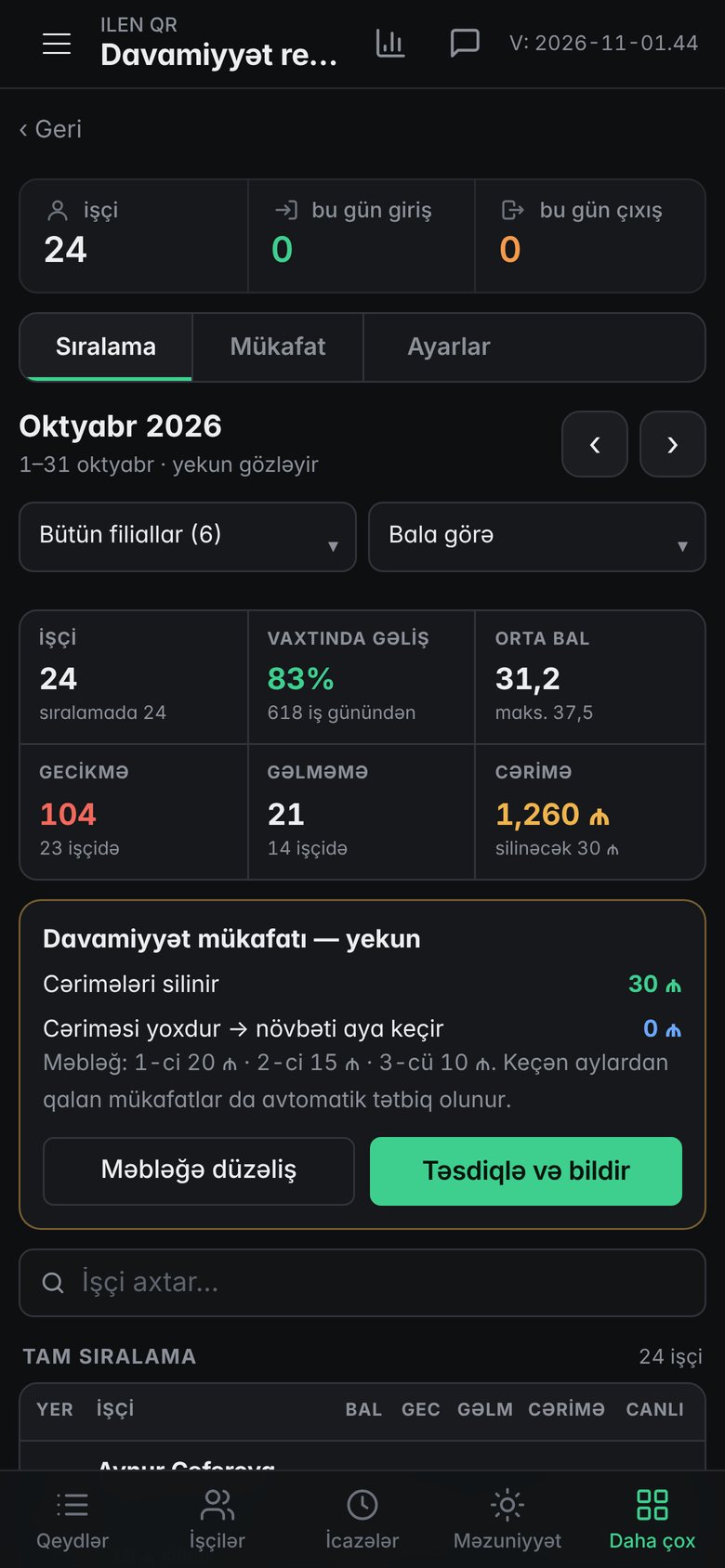
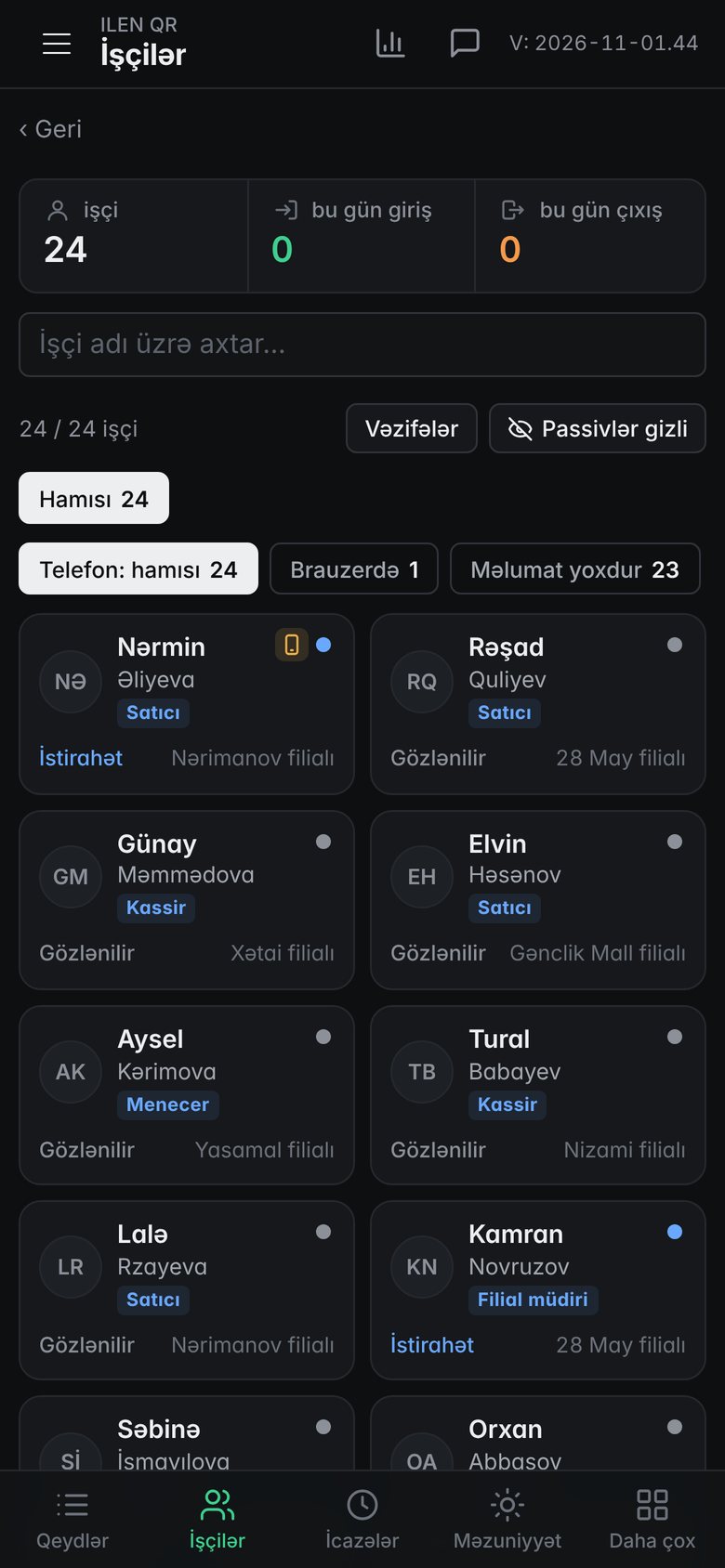
A replacement for the paper logbook
Daily attendance tracking becomes fully automatic.
Late arrivals and fines
Calculated from the work schedule. Fine rules are set by the company.
Payroll sheet
Hours worked, fines and bonuses on one page. Employees see their own sheet on their phone.
Schedules and shifts
Weekly schedules, shift swaps, leave and time-off requests in one system.
Location verification
Check-ins are accepted only on branch premises. Photo verification can also be enabled.
Offline mode
If the connection drops, the check-in is stored on the phone and sent automatically once it's back.
Notifications
Instant alerts about absences, late arrivals and early departures.
Turn on what you need
Each module is turned on separately and is included in the plan. Turning one off keeps its data.
Address tasks New
An employee is given an address and a checklist. On arrival the location is confirmed, and the report comes with photos.
Payroll
Hourly rate or monthly salary, an automatic payroll sheet and a payslip for each employee.
Advances and deductions
Employees request an advance in the app and a manager approves it. Debts and deductions come off the salary automatically.
Tablet mode
A shared tablet at the branch: employees enter a personal code and check in with a selfie.
Lunch queue
The number of people on break at the same time is limited; the rest wait in a queue.
Shared-phone detection
Check-ins made from another employee's phone are flagged automatically.
Weekly mood survey
A short anonymous survey and a team mood score for each branch.
Points store
Attendance points are exchanged for perks for the employee.
Employee of the month
The most punctual employee of the month at each branch — a card and a certificate.
Team goal
An on-time arrival goal for the branch and a team reward.
Thanks
A manager sends an employee a thank-you, with an optional bonus.
Greetings
Employees are greeted in the app on their birthday and work anniversary.
Try it yourself
No sign-up needed. The demo has made-up data for a sample company and resets every night.
ILEN QR — attendance
Admin panel: records, analytics, payroll, schedules.
A tablet for employees without a phone
A tablet is placed at the branch. The employee enters a personal code, a selfie is taken and the check-in is recorded.
- Personal code and selfieEvery check-in is stored with a photo, so no one can check in for someone else.
- One tablet covers the whole branchAt the till or entrance. Works alongside employees who check in by phone.
- Same rulesLateness, breaks and fines are calculated as on the phone and shown as “Tablet” in reports.
- Set up in a minuteGet a code in the admin panel and enter it on the tablet. No extra hardware needed.

Tablet screen. Sample company data.
Companies using ILEN
No names — just industry and scale.
Grouped by industry. Figures come automatically from client apps; employee counts are rounded.
Who it's for
For any team working in shifts or across branches. For example:
Pricing by number of branches and employees
Deactivated employees and those who have left are not billed.
Frequently asked questions
What if an employee doesn't have a smartphone?
Any smartphone with a browser works. Employees without one can check in on a shared tablet at the branch.
Can employees check in from somewhere else?
No. The system checks the phone's location and accepts check-ins only on branch premises.
How is the app installed?
No App Store or Play Market needed. The employee opens a link and adds the app to the home screen once.
Where is the data stored?
On Cloudflare servers, separately for each client and encrypted. A backup is made every day.
Request a demo
Fill in the form and our specialist will contact you to set the system up for your company's branches.
 ILEN